2026-08-27

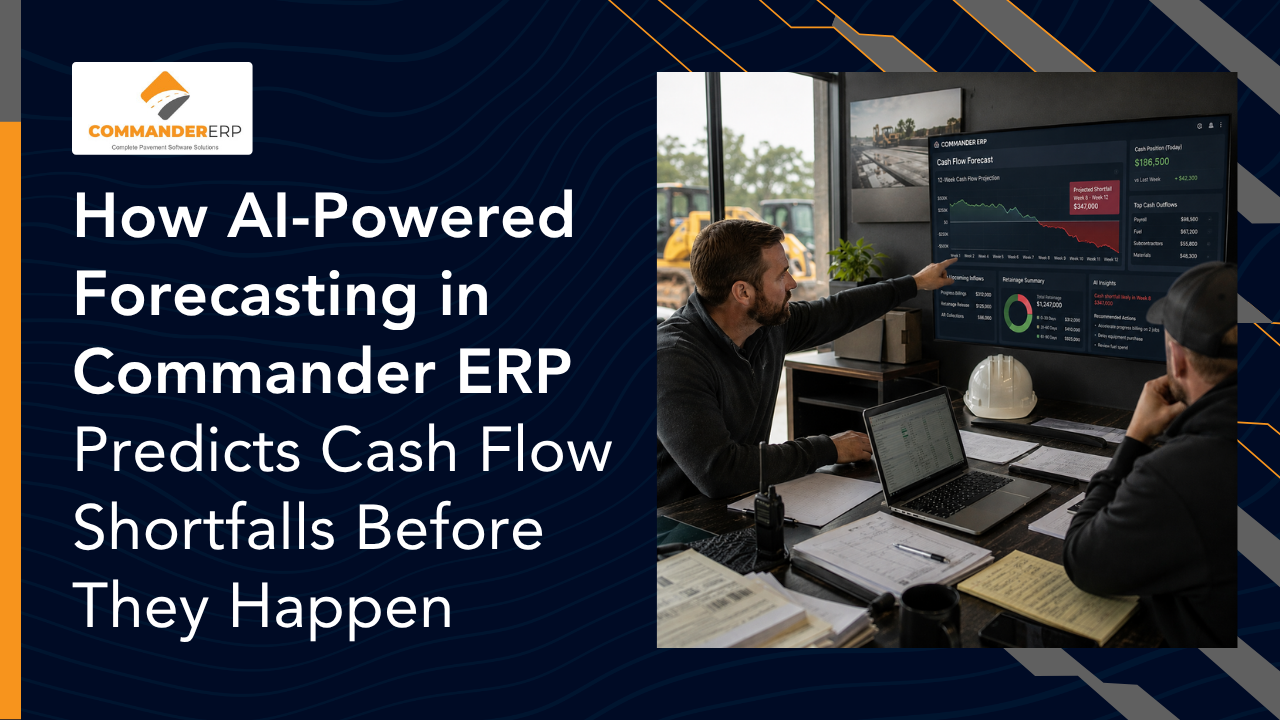
AI-powered cash flow forecasting works by combining a contractor's job schedules, billing cycles, retainage terms, and historical payment patterns into a rolling forward-looking model, instead of a static spreadsheet that's outdated the moment a job slips. Commander ERP applies this to paving and asphalt companies specifically, pulling live job costing, fuel, payroll, and retainage data to flag a projected cash shortfall weeks before it would hit a contractor's bank account — giving owners time to adjust billing, delay a purchase, or arrange financing instead of scrambling on a Friday before payroll.
A profitable season on paper and a cash crunch in the bank account can happen at the same time — and in paving, they often do. Retainage sits uncollected, fuel and payroll go out every week regardless of when the owner pays, and a single slow-paying municipal contract can tie up the money needed to start the next job. Cash flow forecasting exists to catch that gap before it becomes an emergency. This guide explains how AI changes forecasting from a monthly guessing exercise into a live, weekly early-warning system, and how Commander ERP applies it specifically to paving and asphalt operations.
Profit and cash are not the same thing. A paving job can be profitable on the final invoice and still create a cash crunch in the middle of the season, because money goes out — fuel, payroll, materials, equipment — long before it comes back in. Layer in retainage, slow municipal payment cycles, and a short paving season where several jobs often run at once, and it's easy for a company doing good work to still find itself short on a Friday before payroll.
Traditional forecasting tries to catch this with a spreadsheet: current bank balance, expected inflows, expected outflows, updated whenever someone remembers to update it. The problem is that spreadsheet forecasts are backward-looking by nature — they reflect what someone typed in last week, not what's actually happening on the job site today.
AI cash flow forecasting combines a contractor's project schedules, contract payment terms, billing cycles, and historical payment patterns into a live model that projects cash position weeks into the future, rather than a static report that's already stale by the time someone reads it. Instead of a forecast that's rebuilt manually once a month, the model updates automatically as new data comes in — a job falls behind schedule, an invoice goes out, a payment posts late — and the projection shifts in response.
The core idea isn't new; contractors have built 13-week rolling cash flow forecasts by hand for decades. What AI changes is the labor and the lag. Instead of someone manually reconciling job costing, billing, and bank data across separate systems every week, the model does that reconciliation continuously and surfaces the moments where a shortfall is forming, before it shows up as a bounced payroll run.
AI forecasting models work by connecting three things that normally live in separate places: what work is scheduled and when it's expected to be billed, what money is already committed to go out (payroll, fuel, materials, equipment payments), and how past payment behavior has actually played out on similar jobs or with similar customers. When those three data sets are combined and updated continuously, the model can flag a specific week where outflows are projected to exceed inflows — often a month or more before that week arrives.
The forecast starts with the work itself: what's scheduled, what portion is expected to be billed and when, based on the contract's billing cadence. A job running behind schedule doesn't just delay completion — it delays the invoice tied to that milestone, which shows up immediately in the forecast.
Retainage is one of the most predictable cash flow gaps in paving work, and a forecasting model treats it that way — building the retained percentage into the timing of every progress payment instead of assuming the full invoice amount arrives on schedule.
Not every customer pays on the stated terms. A model that incorporates historical payment data — how long a given municipality or general contractor has actually taken to pay on past jobs — produces a materially more realistic forecast than one that assumes every invoice is paid exactly on the due date.
Once schedule, billing, retainage, and payment-timing data are combined, the model can identify a specific future week where projected cash on hand drops below what's needed to cover payroll and committed expenses — giving an owner real lead time to respond instead of finding out when the number is already negative.
Generic accounting and forecasting tools weren't built around how paving companies actually operate — seasonal crews, fuel-heavy fleets, and jobs billed by tonnage rather than square footage. Commander ERP's forecasting is built directly on top of the job costing, fuel, and payroll data the system already tracks, so the cash flow picture reflects what's actually happening in the field, not a separate estimate bolted on afterward.
Because Commander ERP already tracks fuel, labor hours, and material costs per job in real time, the forecasting model works from live numbers instead of month-old estimates, catching cost overruns and their cash impact as they happen rather than at month-end close.
Commander ERP's retainage tracking feeds directly into the cash flow model, so a contractor sees the real, retainage-adjusted amount expected to hit the bank — not the full invoice total that won't actually arrive until the job closes out.
Paving is seasonal in a way office construction isn't. Commander ERP's forecasting accounts for the ramp-up and wind-down of a typical paving season, so owners can see funding needs for the slow months coming while there's still time to plan for them, rather than getting surprised in November.
Instead of a report that confirms a shortfall after it's already happened, Commander ERP is built to surface a projected gap while there's still time to act — adjusting billing timing, delaying a non-urgent purchase, or lining up a short-term credit line before the shortfall becomes a missed payroll.
It depends on the data available, but most models built on live job and billing data can flag a projected shortfall several weeks to a month or more before it would actually occur, giving owners meaningful time to respond.
No. AI forecasting is a planning tool that surfaces patterns and projections from existing data; it doesn't replace the accounting oversight, judgment, and decision-making a bookkeeper or accountant provides.
Forecasting models that incorporate historical seasonal patterns, like Commander ERP's, are built to account for a paving company's ramp-up and wind-down periods rather than assuming steady, year-round cash flow like a non-seasonal business.
Commander ERP draws on the job costing, fuel, payroll, billing, and retainage data already tracked in the system, combined with each job's schedule and payment terms, to build a rolling forecast without requiring separate manual data entry.
Commander ERP turns your job costing, fuel, payroll, and retainage data into a live cash flow forecast built for paving and asphalt seasons — so you see a shortfall coming instead of finding out on payday.