2026-08-27
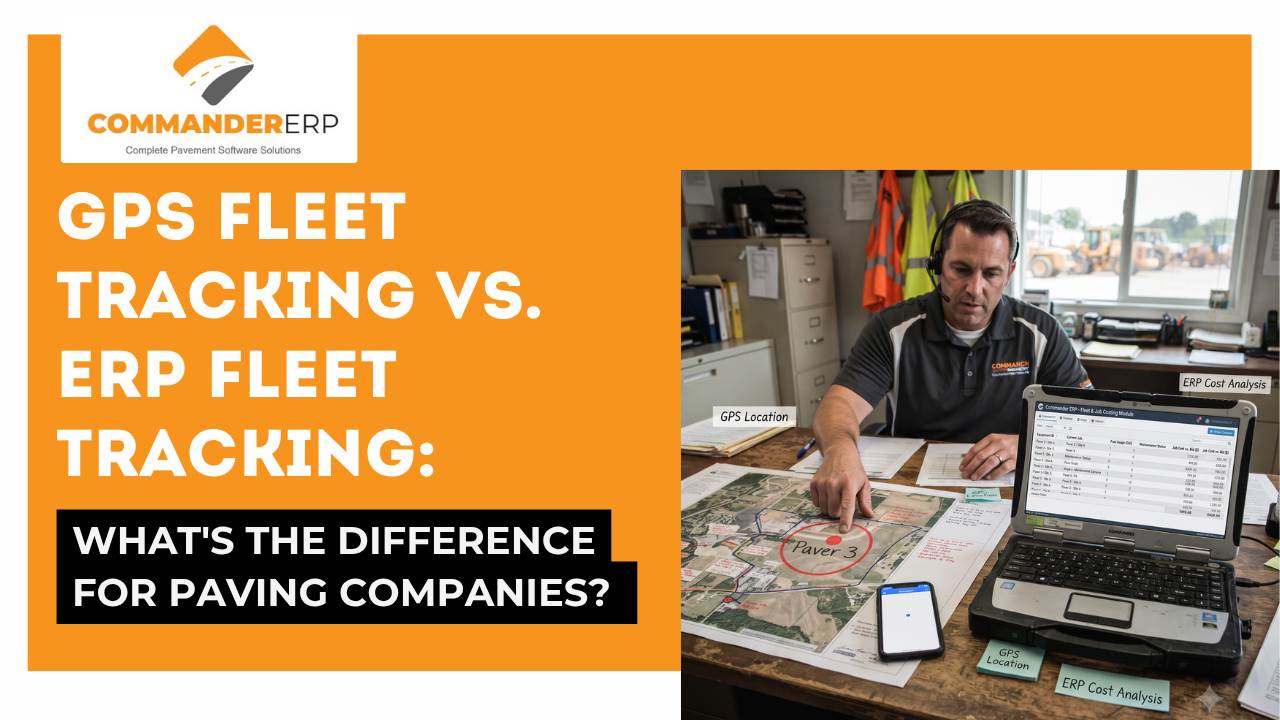
GPS tracking answers one question: where is a truck or piece of equipment right now, and where has it been? ERP fleet tracking uses that same location data as one input among many, connecting it to fuel use, maintenance schedules, and job costs so the information drives business decisions, not just a map. A paving company running standalone GPS can see where a paver is; a paving company running ERP fleet tracking, like Commander ERP, can see how much that paver cost to run on a specific job this week, compared to what was bid. Most growing paving companies eventually need both — GPS as the location layer, and ERP as the system that turns that location data into job costing and profitability insight.
Every paving company with more than a couple of trucks eventually asks the same question: do we need GPS tracking, fleet management software, or both? The terms get used interchangeably in sales conversations, which makes the decision harder than it needs to be. This guide breaks down what GPS tracking actually does, what ERP fleet tracking adds on top of it, and how to figure out which one your paving business needs right now.
GPS fleet tracking is a location system. A GPS unit installed in a truck, paver, roller, or trailer reports its position, movement, and status to a dashboard in real time, using satellite and cellular connectivity. At its core, GPS tracking answers a narrow but genuinely useful question: where is this asset right now, and where has it been?
For a paving company, that's valuable on its own. Knowing whether a truck is actually en route to a job site, confirming a piece of equipment hasn't been moved off-site without authorization, or reconstructing a route after a customer dispute are all things basic GPS tracking handles well.
ERP fleet tracking starts from the same location data but treats it as one input into a larger system rather than the end product. Instead of a standalone map showing where a roller is, an ERP platform connects that location and usage data to fuel consumption, maintenance schedules, labor hours, and — critically for paving — the specific job that piece of equipment is working on.
The distinction matters because a paving company doesn't actually need to know where a paver is for its own sake. It needs to know whether that paver's fuel, maintenance, and downtime are eating into the margin on a specific bid. That connection between an asset's activity and a job's cost is what separates fleet tracking from fleet management within an ERP.
| Question It Answers | GPS Tracking Alone | ERP Fleet Tracking (e.g. Commander ERP) |
|---|---|---|
| Where is this asset right now? | Yes — this is its core function | Yes, using the same underlying GPS data |
| How much did this equipment cost on this specific job? | No | Yes |
| When does this machine need service? | Not typically | Yes, based on hours or usage |
| Is this crew's fuel use normal for this job? | No | Yes |
| How does equipment cost affect this bid's profitability? | No | Yes |
| Standalone system or connected to job costing/accounting? | Standalone | Connected |
Most small fleets start with GPS tracking because the first problem they're solving is simple: knowing where trucks and equipment are. That's a reasonable starting point, and for a one- or two-crew operation, standalone GPS may be all that's needed for a while.
The need for ERP fleet tracking usually shows up as a paving company grows — running multiple crews, bidding jobs where fuel and equipment cost are a meaningful share of the estimate, or trying to figure out after the fact why a job that looked profitable on paper didn't actually make money. At that point, location data alone stops being enough, because the real question isn't where the equipment was, it's what that equipment cost to run and whether the job absorbed that cost the way the bid assumed it would.
Rather than running two disconnected systems — a GPS dashboard for location and a separate ERP for job costing — an ERP platform that includes fleet tracking natively avoids the manual work of reconciling the two. Commander ERP tracks trucks, pavers, rollers, and other equipment alongside fuel use, maintenance schedules, and job costing in one connected platform, so the location and usage data collected in the field feeds directly into the cost reports an owner actually uses to make decisions.
It depends on the platforms being compared. Standalone GPS tracking is often cheaper on its own, but a paving company running GPS tracking plus a separate job costing or accounting system may end up paying for two tools where an ERP with built-in fleet tracking consolidates both into one subscription.
Many ERP platforms, including Commander ERP, are built to integrate with GPS and telematics data rather than requiring a company to rip out existing hardware, so the location data flows into the broader system instead of staying siloed.
Not directly. GPS tracking shows location and movement, but without a connection to fuel, maintenance, and labor data tied to a specific job, it doesn't answer what a piece of equipment actually cost to operate on that job.
There's no fixed threshold, but companies running multiple crews or jobs at once, or those where equipment and fuel cost make up a significant share of each bid, typically benefit most from connecting fleet data directly to job costing rather than relying on GPS tracking and job costing as separate systems.
Commander ERP tracks your trucks, pavers, and rollers alongside fuel, maintenance, and job costing in one connected system — so you know not just where your equipment is, but what it's actually costing you on every job.