2026-08-27

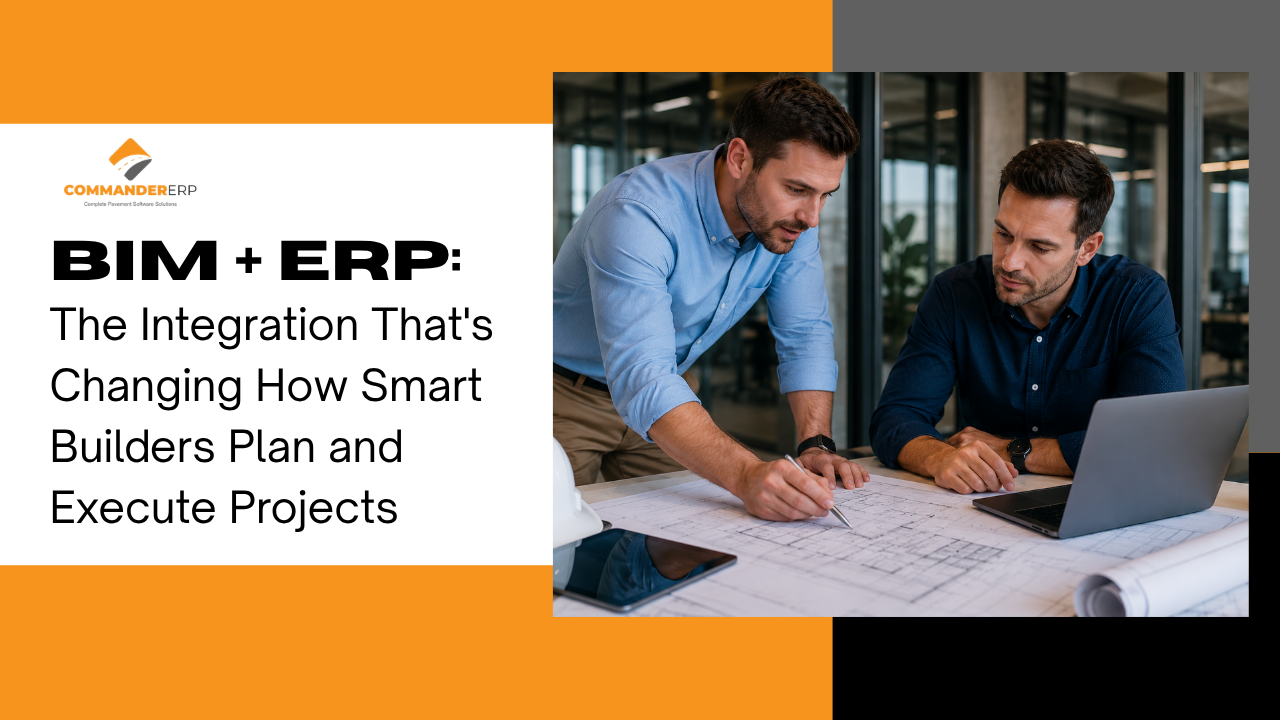
Building Information Modelling (BIM) and Enterprise Resource Planning (ERP) represent two of the most significant technology investments a modern construction business can make. BIM transforms how buildings are designed, coordinated, and visualised. ERP transforms how projects are managed, procured, and financed.
Yet in most construction businesses, these two systems operate in complete isolation. The design team works in BIM. The project team works in ERP or spreadsheets. The data that flows from one to the other is manually transcribed, delayed, and frequently inconsistent.
This article explores what BIM and ERP each do, where their capabilities intersect, and why integrating them is one of the most impactful digital steps a construction business can take.
BIM is frequently misunderstood as simply 'CAD in 3D.' In reality, BIM is a process — a methodology for creating and managing digital representations of a building's physical and functional characteristics across its entire lifecycle.
A well-developed BIM model contains not just geometry, but data: material specifications, quantities, spatial relationships, structural properties, MEP routing, and in advanced implementations, scheduling and cost information. The different 'dimensions' of BIM are commonly described as:
| BIM Dimension | What It Adds | Construction Application |
|---|---|---|
| 3D BIM | Geometry and spatial data | Design coordination, clash detection, visualisation |
| 4D BIM | Time / scheduling | Construction sequencing, programme planning, logistics |
| 5D BIM | Cost / quantity takeoff | Automated quantity extraction, cost estimation, budget planning |
| 6D BIM | Sustainability data | Energy modelling, environmental performance tracking |
| 7D BIM | Facilities management | Asset data for building operations post-handover |
For construction management purposes, 4D and 5D BIM are most directly relevant — and these are exactly where the connection to ERP becomes most powerful.
Construction ERP manages the operational and financial dimensions of project delivery: procurement, cost tracking, labour management, subcontractor payments, billing, compliance, and reporting. ERP holds the financial and operational data of a project — the what-it-costs and what-it-takes to build the thing the BIM model describes.
The two systems are complementary by nature. BIM knows what needs to be built and in what sequence. ERP knows what it will cost, what has been ordered, and what has been spent. Together, they provide a complete picture of a project — from design intent to financial reality.
When BIM and ERP are not integrated, information flows between them manually. This creates predictable problems:
A quantity surveyor extracts material quantities from the BIM model, then manually enters them into the ERP (or a spreadsheet that feeds into it) to create purchase orders and budgets. This double-entry introduces transcription errors and delays. Any design change in the BIM model requires manual re-entry in the ERP — a process that is often skipped, leaving procurement working from outdated quantities.
The project programme lives in the BIM scheduling tool (or a standalone programme like Primavera or MS Project). Actual progress lives in the ERP or site reports. Comparing planned vs. actual requires someone to manually correlate the two — a task that is usually done fortnightly at best, and weekly never.
Design changes — which are frequent and inevitable on most complex builds — trigger a cascade of updates: revised quantities, revised procurement, revised cost budgets, revised schedules. Without integration, each of these updates happens in a different system, by a different person, at a different time. Inconsistencies accumulate. Disputes follow.
When BIM and ERP are integrated, material quantities extracted from the BIM model flow directly into the ERP's procurement module. Purchase orders can be generated from model quantities, with budget checks applied automatically. When a design change updates the BIM model, the change propagates to procurement and budgets — without manual re-entry.
4D BIM schedules can drive ERP resource planning — automatically identifying when specific materials, equipment, and labour will be required based on the planned construction sequence. This enables just-in-time procurement and reduces both stockpiling costs and material shortage delays.
With 5D BIM quantities connected to ERP cost codes, it becomes possible to see — in real time — the cost implication of any design element. When a design is revised, the cost impact is immediately visible in the ERP's project budget, not discovered weeks later during a manual cost review.
BIM clash detection identifies spatial conflicts between structural, MEP, and architectural elements before construction begins. When this is linked to ERP, the cost of resolving each clash can be quantified immediately — enabling prioritisation based on financial impact, not just design preference.
BIM adoption in India is accelerating. Government mandates for BIM on large infrastructure projects, growing client requirements in commercial real estate, and the competitive advantage it provides in international tenders are all driving uptake.
However, the integration of BIM with project ERP systems remains immature in most Indian construction businesses. The most common scenario is:
This gap represents a significant opportunity. The construction businesses that establish BIM-ERP integration early will have a structural cost and information advantage over competitors still managing the divide manually.
Full BIM-ERP integration is a journey, not a single implementation. Practical starting points include:
| Integration Level | What It Involves | Business Benefit |
|---|---|---|
| Level 1: File Export | BIM quantity schedules exported as CSV, imported to ERP | Faster BOQ preparation, reduced transcription errors |
| Level 2: API Connection | Live data feed between BIM platform and ERP | Real-time quantity updates when design changes |
| Level 3: Full Integration | Bi-directional data flow: design changes auto-update ERP; ERP actuals visible in BIM environment | Single source of truth across design and delivery |
Even Level 1 integration delivers measurable value. Moving BIM quantity data into ERP electronically — even via structured file export — eliminates a significant manual process and reduces the error rate in procurement considerably.
BIM and ERP are not competing technologies — they are complementary ones. BIM defines what you're building. ERP manages how you build it. When the two systems share data, the result is a construction operation that plans more accurately, procures more efficiently, tracks costs more precisely, and responds to changes more quickly than competitors operating with a gap between their design and delivery systems.
The construction businesses investing in BIM-ERP integration today are positioning themselves for the next decade of industry evolution. Commander ERP is built with the connectivity needed to be part of that ecosystem — ready to receive, process, and act on the rich data that modern BIM processes generate.
Commander ERP is built to integrate with your digital construction ecosystem — BIM tools, procurement systems, project management platforms — giving you one connected source of truth for every project.
Book a Free Demo at commandererp.com