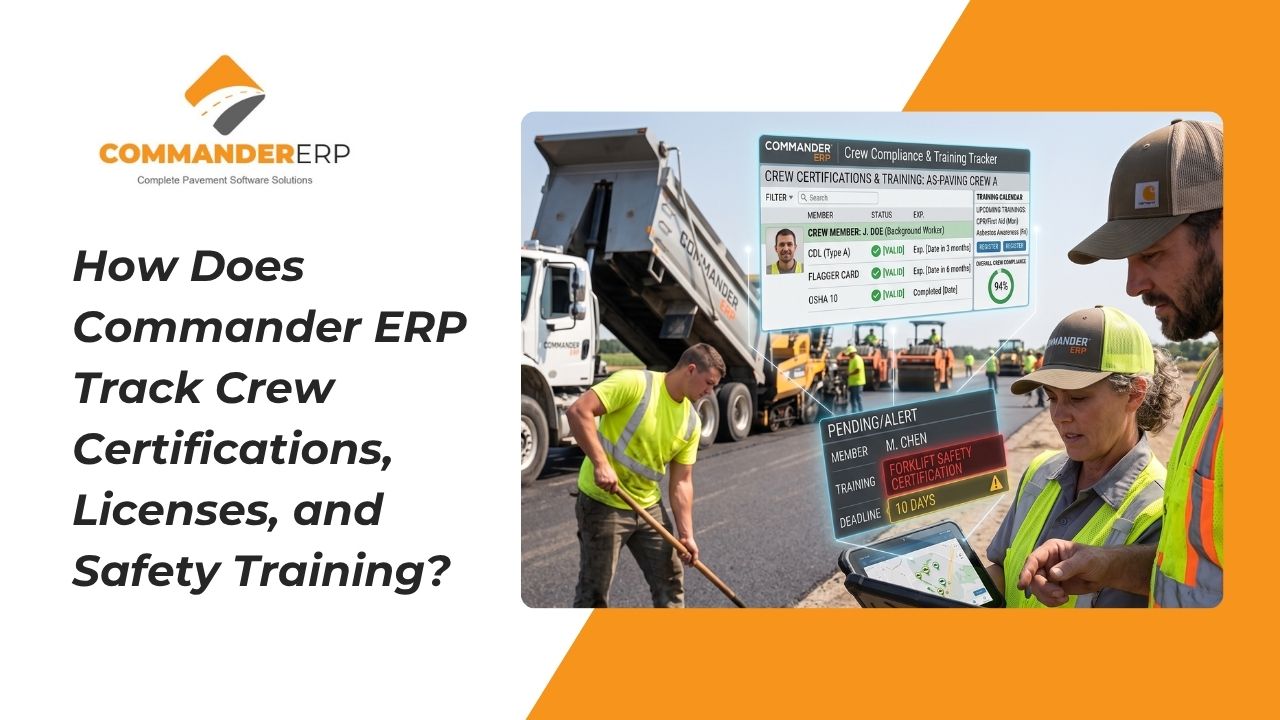
A paving crew is only as compliant as its least up-to-date certification. A CDL that expired last month, a flagger card that lapsed over the winter, or a forklift certification nobody renewed can turn a routine job site inspection into a shutdown, a fine, or worse, a safety incident with real liability attached. Yet for a lot of paving and asphalt companies, certification tracking still lives in a filing cabinet, a spreadsheet nobody updates, or the memory of whoever runs HR.
Commander ERP replaces that guesswork with a centralized system that tracks every employee's certifications, licenses, and safety training in one place, with automated alerts before anything expires. Here's how it works and why it matters for paving companies specifically.
Why Is Certification Tracking Such a Common Blind Spot for Paving Companies?
Paving crews carry a wide mix of credentials: commercial driver's licenses, OSHA 10 or OSHA 30 cards, flagger certifications, equipment operator qualifications, confined space training, and more, depending on the type of work and the state or municipality involved. Each of these has its own renewal cycle, and very few companies have a single, reliable way to see all of them at a glance across an entire crew roster.
The result is that expired certifications often go unnoticed until a DOT inspector, a municipal project owner, or an insurance auditor asks to see documentation, at which point it's too late to fix quietly. On DOT and municipal contracts especially, an expired certification on a crew member working the job can jeopardize the entire contract, not just that individual's ability to work.
How Does Commander ERP Store and Organize Certification Records?
A Centralized Employee Profile
Every employee in Commander ERP has a profile that holds their certifications, licenses, and completed safety training in one place, alongside their employment records, time logs, and job history. Instead of certifications living in a separate HR folder disconnected from day-to-day operations, they sit next to the same employee data your foremen and payroll team already use.
Document Uploads Tied to Each Credential
Scanned copies or photos of licenses and certification cards can be attached directly to the relevant record, so if an inspector or client asks for proof, your office staff can pull it up immediately instead of digging through paper files or asking the employee to send a photo from their truck.
How Do Automated Expiration Alerts Work?
Commander ERP tracks the expiration date tied to each certification and can notify office staff or HR administrators as that date approaches, well before the credential actually lapses. That gives your team time to schedule a renewal course, book a recertification exam, or pull an employee off a task that requires that specific credential, rather than finding out about the gap after the fact.
Credentials Commander ERP Tracks
- CDL and driver's license expiration dates
- OSHA 10/30 and other safety training completion and renewal dates
- Equipment operator certifications tied to specific machinery
- Flagger, confined space, and other job-specific credentials
How Does This Protect Paving Companies on Municipal and DOT Contracts?
Government and municipal contracts frequently require proof of specific certifications for crew members working on the project, and some require documentation to be produced on short notice during an active job. Having certification records centralized and current means your project managers can respond to a compliance request the same day, rather than scrambling to track down paperwork while a job is paused.
How Does Certification Tracking Reduce Liability and Insurance Risk?
If an incident occurs on a job site and it comes out that the employee involved was operating equipment without a current certification, the liability exposure for the company increases significantly, both from a legal standpoint and from an insurance standpoint. Insurers reviewing a claim, or renewing a policy, may also ask for documentation showing that your company actively tracks and enforces certification requirements. A system that shows a clear, dated history of certifications and renewals is far stronger evidence of due diligence than a claim that records exist somewhere in a filing cabinet.
How Does This Help with Scheduling and Crew Assignments?
Because certifications are tied to individual employee profiles, project managers and foremen can see at a glance who is currently qualified for a given task before assigning that day's crew. This prevents the common scenario where an operator is assigned to a piece of equipment on a busy morning, only for someone to realize afterward that their certification had already lapsed.
Ready to Get Certifications and Safety Training Under Control?
If your company is still tracking certifications on paper, in scattered spreadsheets, or relying on individual employees to flag their own renewals, Commander ERP can bring that entire process into one system with automated alerts built in. Schedule a demo with the Commander ERP team to see how certification tracking works alongside scheduling, payroll, and job costing in a single platform.
Conclusion
Certification and safety training compliance isn't just a paperwork exercise, it's a direct line to your company's ability to win and keep contracts, protect its insurance standing, and keep crews safe on site. By centralizing certification records and automating expiration alerts, Commander ERP gives paving contractors a system that catches lapses before they become liabilities, rather than discovering them during an inspection or after an incident.
