2026-08-27

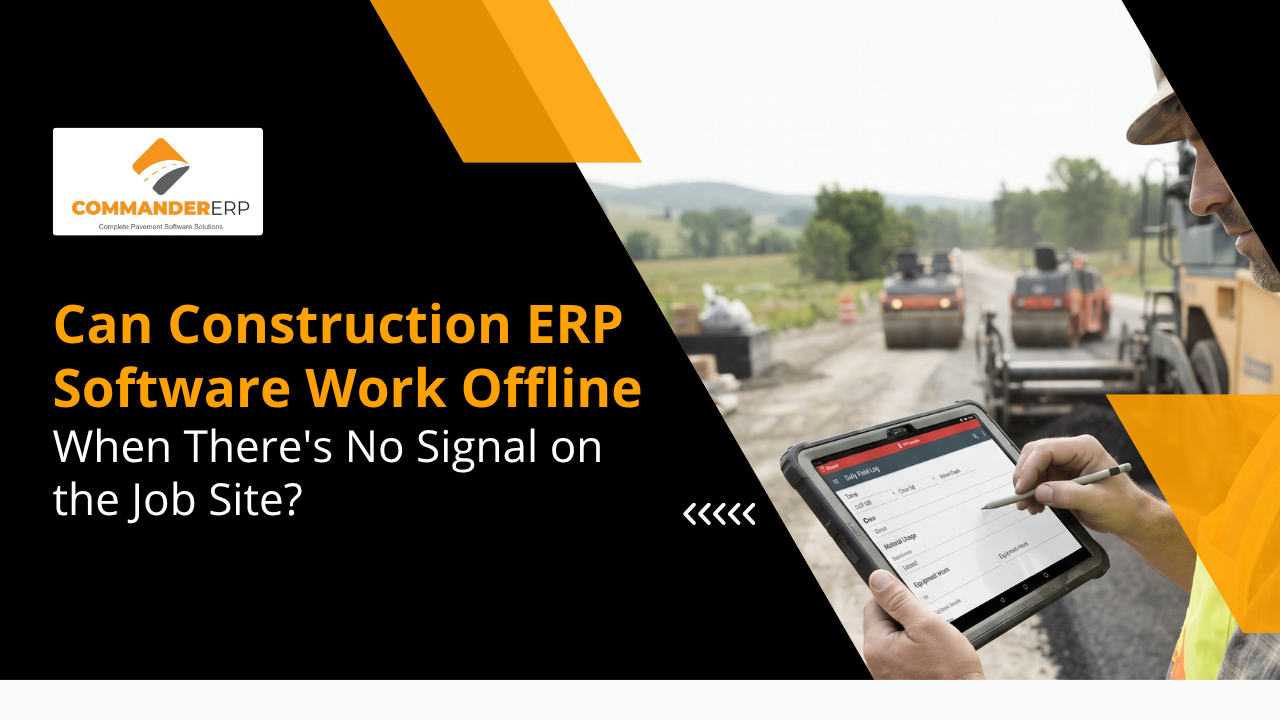
Yes — but only if the software is built as offline-first, not just cloud software with a mobile app. Offline-first construction ERP stores data locally on the device so crews can log time, fuel, materials, and daily logs with zero signal, then automatically syncs everything to the office system once connectivity returns. Many cloud-based platforms fail this test: they load a spinning error screen the moment a phone loses signal. Commander ERP is built for paving and asphalt crews working in rural areas, remote DOT projects, and low-signal sites, so field data keeps flowing whether or not there's a cell tower nearby.
Ask any foreman running a rural mill-and-overlay job or a county road resurfacing project: cell signal disappears exactly when you need the software most. If your crew can't log fuel, hours, or material tickets because the app won't load, that data either gets written on a scrap of paper or never gets recorded at all. This guide explains what "offline" actually means in construction ERP, why most cloud platforms fall short, and what to look for before you commit to a system your crews will use every day, signal or not.
Yes, more often than office software vendors assume. Paving and pavement maintenance work happens in exactly the environments where cellular coverage is weakest: rural county roads, DOT highway corridors between towns, industrial parking lots surrounded by metal buildings, and job sites tucked into valleys or wooded areas. A crew might have full bars at the shop in the morning and zero signal an hour later once they're staged on the actual project.
There's a meaningful difference between software that's cloud-based and software that's offline-first, and most contractors don't discover the gap until they're standing on a job site with a blank screen. Cloud-based tools are built assuming a live internet connection; when that connection drops, the app typically shows a loading spinner or an error message, and crews simply can't get in.
Not all "offline support" means the same thing. At the weakest end, an app lets you snap photos that sit on the device until you're back in range, but you can't open the project, check a schedule, or fill out a form. At the strongest end — true offline-first design — the entire app functions normally with no connection: crews can view schedules, log time and materials, complete daily reports, and enter fuel data, with everything stored locally and synced automatically the moment signal returns.
When field software depends on a live connection, the real cost shows up quietly. Crews stop using the app the moment it fails them and fall back to paper tickets, texted photos, or simply remembering details until end of day. That means fuel logs get estimated instead of recorded accurately, time entries get reconstructed from memory, and material tonnage gets written on the back of a delivery ticket that may or may not make it back to the office. None of that data feeds job costing in real time, which means bids built on it are working from guesses rather than facts.
Offline-first systems store a working copy of the relevant data directly on the device — the day's schedule, crew assignments, cost codes, and forms — so the app functions the same whether or not it's connected. As crews enter fuel, hours, materials, or daily logs, that data is saved locally first. Once the device reconnects to WiFi or cell service, the app syncs automatically in the background, pushing new entries to the central system and pulling down any updates from the office, without anyone having to remember to hit a sync button.
Well-built systems also handle conflicts intelligently — for example, if two crew members update the same job record while both were offline, the system applies rules to resolve the difference and flags anything that needs a supervisor's review rather than silently overwriting data.
Commander ERP was built around the reality that paving and asphalt work happens where signal is inconsistent, not around the assumption that every job site has reliable WiFi. That shows up in how the field app is designed, not just in a feature list.
Crew schedules, cost codes, and job details are stored on the device itself, so foremen and operators can pull up what they need without waiting on a connection that isn't there.
Commander ERP's field tools let crews log fuel consumption, hours, and material tonnage the same way whether they're on a rural DOT job or standing in the shop parking lot — the entries save locally and queue for sync automatically.
Once a device reconnects — driving back into town, hitting a WiFi hotspot at the yard, or picking up a stray cell signal — Commander ERP syncs everything in the background. Office staff see updated job costs and fuel data without anyone in the field having to remember an extra step.
Because data is captured locally first, a dropped connection doesn't mean lost work. Crews keep logging normally, and the system reconciles everything once it's back online instead of forcing a redo.
Vendor demos happen in offices with strong WiFi, which means the offline claim rarely gets tested where it matters. Before committing to any construction ERP, put a phone or tablet in airplane mode and try to use it the way a crew would on-site.
No. Commander ERP's field tools are built to function without a live connection, storing entries locally and syncing automatically once the device reconnects.
Data saved locally persists on the device until it's successfully synced, so a dropped connection or app restart doesn't erase entries already logged. As with any mobile device, keeping it charged in the field is still good practice.
Yes, and Commander ERP is designed to reconcile those updates automatically once both devices reconnect, flagging any genuine conflicts for review rather than silently overwriting data.
No. Even urban and suburban paving jobs can lose signal inside parking structures, near large metal buildings, or in areas with poor carrier coverage, so offline-first design benefits crews on nearly any job site.
Commander ERP keeps your crews logging fuel, hours, and materials on every job site — signal or no signal — and syncs it all automatically once they're back in range. See it working on a real device, not just a demo screen.