2026-08-27

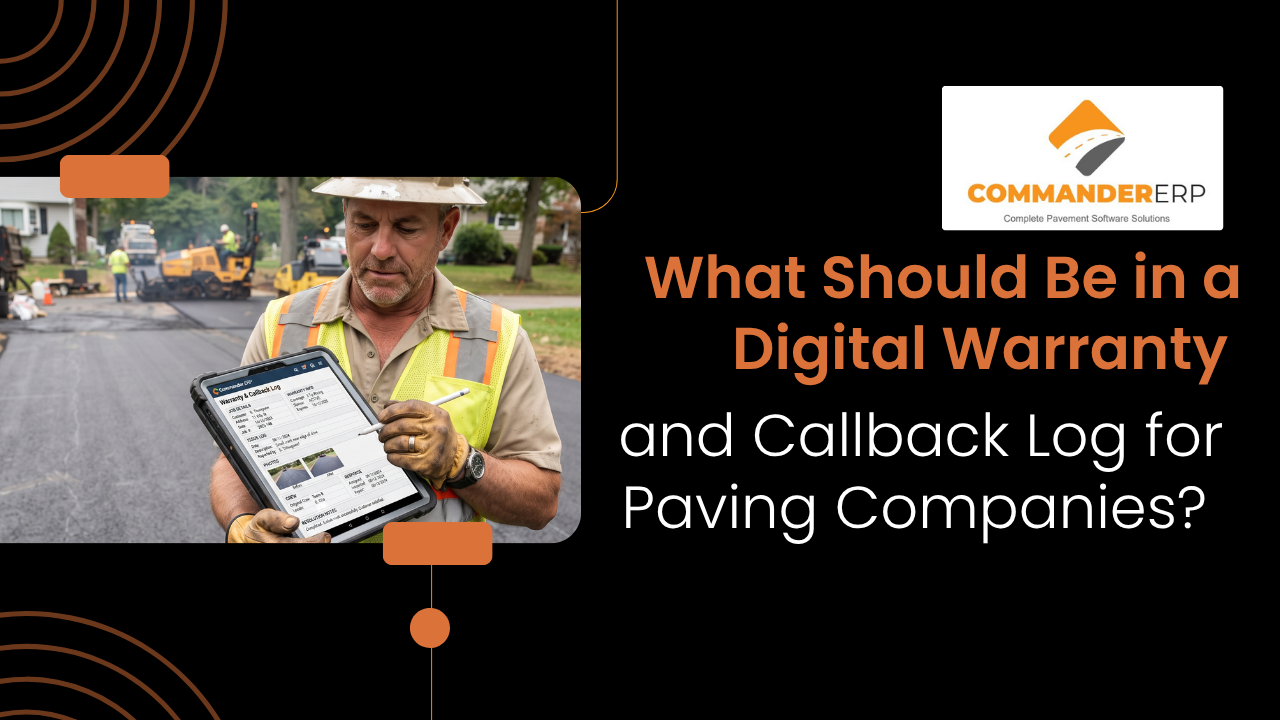
A digital warranty and callback log for a paving company should record, at minimum: the job and customer details, warranty coverage type and expiration date, the date and description of each reported issue, before-and-after photos, the crew or subcontractor responsible for the original work, response and repair timelines, and final resolution notes. Tracking this in a spreadsheet or paper file makes it easy to miss a warranty deadline or lose the documentation needed to dispute an unfair claim. Commander ERP keeps warranty and callback records tied directly to the original job file, so nothing gets lost between the crew that paved it and the office that has to answer for it a year later.
A cracked seam that shows up eight months after a resurfacing job is either a legitimate warranty claim or a dispute waiting to happen — and which one it becomes usually comes down to whether you have records. Paving companies handle plenty of documentation during a job: bids, material tickets, crew logs. Warranty and callback tracking after the job is done tends to fall through the cracks, literally and figuratively. This guide covers what belongs in a proper warranty and callback log, and how to stop losing money and reputation to claims you can't prove, disprove, or even remember.
Asphalt and pavement work carries real warranty exposure. Workmanship warranties on paving jobs commonly run one to two years, and material or manufacturer warranties on things like sealcoating products or striping paint can extend further. Without a system to track what was promised, when, and to whom, a paving company is left relying on memory, scattered text threads, and whoever happened to answer the phone when the customer called.
That gap causes two very different problems. First, legitimate warranty issues get missed or mishandled, which damages the customer relationship and the referrals that come with it. Second — and more expensive — undocumented callbacks get treated as free warranty work when they're actually new damage, misuse, or a separate issue entirely outside the original scope.
A usable warranty and callback log needs to answer five questions instantly: what was originally done, what's being claimed now, who's responsible for the fix, how long is the company on the hook for it, and what actually happened when someone showed up to look at it. That means each entry should capture the following core fields.
These terms get used interchangeably, but they're not the same thing, and the distinction matters for how each entry gets handled. A warranty claim is a defect in the original work covered under the terms the company agreed to — a seam that separates prematurely, an area that didn't compact properly. A callback, more broadly, is any request for the crew to return to a site after the job was considered complete, which may or may not turn out to be a covered warranty issue once it's actually inspected.
Every callback should be logged the moment it comes in, before anyone determines whether it's covered. That single habit protects the company both ways: it prevents legitimate warranty work from getting lost, and it creates the documentation needed to push back on a callback that turns out to be unrelated to the original job — like damage from a delivery truck driving across a lot months after paving.
A warranty and callback log becomes a quality control tool the moment you can filter it by crew or subcontractor rather than just by customer. If one crew or sub generates a disproportionate share of callbacks compared to the volume of work they've done, that's a pattern worth a direct conversation before it costs more in warranty labor than the job ever earned in profit. Without a structured log tying each claim back to who did the original work, that pattern stays invisible.
Commander ERP builds warranty and callback tracking directly into the same system that manages the original job, instead of treating it as a separate spreadsheet someone has to remember to update months later.
Every warranty entry in Commander ERP links back to the original job — crew, materials, cost codes, and completion date — so there's no separate lookup required when a callback comes in eight months later.
Field crews can attach before-and-after photos directly to a warranty or callback record from a mobile device, creating a time-stamped record that holds up whether the claim is being approved or disputed.
Commander ERP tracks warranty start and end dates per job, so office staff aren't manually calculating whether a claim that comes in fourteen months after completion still falls inside a one-year workmanship warranty.
Because every callback ties back to the original crew or sub, Commander ERP makes it possible to see patterns — which teams are generating repeat visits — instead of noticing it anecdotally after the fact.
At minimum, records should be kept for the full length of the stated warranty period, though many paving companies retain them longer since disputes can sometimes surface after the formal warranty has technically expired.
No. A callback is any request to return to a completed job site; whether it's actually covered under warranty depends on inspection and the terms in the original contract. Logging every callback as it comes in — before determining coverage — protects the company either way.
At minimum, photos of the completed original work and photos of the reported issue at the time of the callback, ideally from a similar angle and location so the comparison is clear.
Yes. Logging warranty claims and callbacks by the crew or subcontractor responsible for the original work makes it possible to see which teams generate a disproportionate number of repeat visits.
Commander ERP keeps every warranty claim and callback tied directly to the original job — photos, crew, materials, and dates — so you're never scrambling to prove what happened a year after the crew left the site.